
Streaming Remote1.5 - App Store
You'll be able to see results in few seconds.
Publisher Description
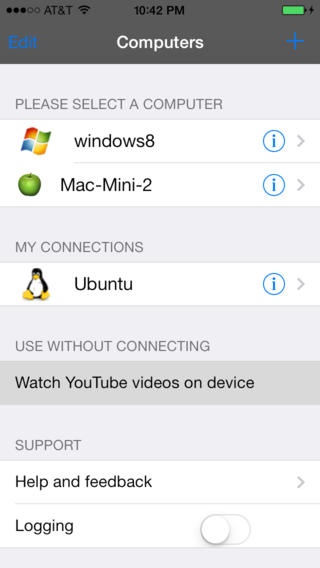
Browse YouTube videos, playlists and channels on the iPhone/iPad/iPod Touch and watch them on your computer connected to a TV or HD monitor.
The ability to Queue videos ensures you can sit back and enjoy a continuous stream of videos. You can play back entire playlists of your favorite videos.
A full-fledged YouTube remote allows you to control all aspects of the video you are watching from your iPhone/iPad/iPod Touch.
Browse the complete Netflix library, manage instant and DVD queues, watch Netflix movies on your PC/Laptop connected to a Big Screen TV/monitor.
Also included are a Touch Pad, Air Mouse, QWERTY keyboard with FKeys and NumPad.
The file browser lets you browse your computer s file system from your iPhone/iPad/iPod Touch.
The app also includes a Web Browser Remote, Media Remote, Picture remote and Presentation remote which let you sit back and use the multimedia features of your computer from the comfort of your couch or anywhere in your home.
You can use the iPhone/iPad/iPod Touch volume buttons to control your computer s volume. You can even change the skin or customize the app background with your favorite image.
The app is designed to allow multiple users to control the PC which is great for group presentations or for families with multiple iOS devices.
For maximum security all data exchange between the device and the computer is encrypted.
PLEASE INSTALL THE SERVER SOFTWARE FROM http://www.hidpoint.com BEFORE RUNNING THIS APP AND ENSURE YOUR COMPUTER & iPhone/iPad/iPod Touch ARE CONNECTED TO THE SAME WI-FI NETWORK.
Features:
Supported Server Platforms:
Windows, Macintosh and Linux
Check our web site for the complete list of supported platforms
Connectivity:
Automatic: Discovers computers running the YouTube Remote server automatically using bonjour service.
Manual: User can connect to computer by providing the IP address and password
YouTube:
Watch and control YouTube videos on your PC or device
Search Videos, Playlists and Channels
View Top Rated, Most Viewed, Most Recent, Featured (Spotlight) Videos
Browse Movies, Trailers and Live events
Playback user uploaded videos, Playlists, Subscriptions, Favorites
Ability to create a Quicklist
History of Videos played.
Displays information about the videos - Title, Thumbnail, #of likes and dislikes, uploaded by, views, duration, Tags, Comments, Related videos
Ability to share the Video via SMS or email
Ability to manage videos in Quicklist and History
Play all Videos in the Playlist with Single tap.
Convenient Remote to control the Video Quality, Volume, Screen size
Use your device volume buttons to control the volume
Ability to navigate the playlist
Seek to any position of the video
Auto repeat and replay videos
Parental controls to restrict the search results
Netflix:
Easy access to Top 10 recommended movies, newly released movies and TV shows.
View recommended titles.
Auto-suggest enabled movie search.
Manage your DVD and Instant Queue.
View recently watched, shipped, and returned movie info.
Complete movie information including synopsis, release year, cast, genre and available formats.
For TV shows view the synopsis of each episode and disc information.
Full fledged remote to control movie playback.
Ability to play video on the device (Requires Netflix app to be installed)
File Browser:
Commonly accessed user folders - My Documents, Downloads, My Music, My Pictures
Drives
Launch any folder/file/application
Browser Remote:
Supports common functions such as Stop, Reload, New Tab, Close Tab, Find, Open URL, Manage Bookmarks
Supports all major browsers on Windows, Macintosh and Linux
Multi Media Remote:
Play/Pause, Stop, Next, Previous
Supports all major media players on Windows, Macintosh and Linux
Requires iOS 4.3 or later. Compatible with iPhone, iPad, and iPod touch.
About Streaming Remote
The company that develops Streaming Remote is Yodasoft Technologies Pvt Ltd. The latest version released by its developer is 1.5.
To install Streaming Remote on your iOS device, just click the green Continue To App button above to start the installation process. The app is listed on our website since 2011-10-14 and was downloaded 0 times. We have already checked if the download link is safe, however for your own protection we recommend that you scan the downloaded app with your antivirus. Your antivirus may detect the Streaming Remote as malware if the download link is broken.
How to install Streaming Remote on your iOS device:
- Click on the Continue To App button on our website. This will redirect you to the App Store.
- Once the Streaming Remote is shown in the iTunes listing of your iOS device, you can start its download and installation. Tap on the GET button to the right of the app to start downloading it.
- If you are not logged-in the iOS appstore app, you'll be prompted for your your Apple ID and/or password.
- After Streaming Remote is downloaded, you'll see an INSTALL button to the right. Tap on it to start the actual installation of the iOS app.
- Once installation is finished you can tap on the OPEN button to start it. Its icon will also be added to your device home screen.
Program Details
System requirements
Download information
Pricing
Version History
version 1.5
posted on 2011-10-14
Disclaimer
Official App Store Link
We do not host Streaming Remote on our servers. We did not scan it for viruses, adware, spyware or other type of malware. This app is hosted by Apple and passed their terms and conditions to be listed there. We recommend caution when installing it.
The App Store link for Streaming Remote is provided to you by apps112.com without any warranties, representations or guarantees of any kind, so access it at your own risk.
If you have questions regarding this particular app contact the publisher directly. For questions about the functionalities of apps112.com contact us.
